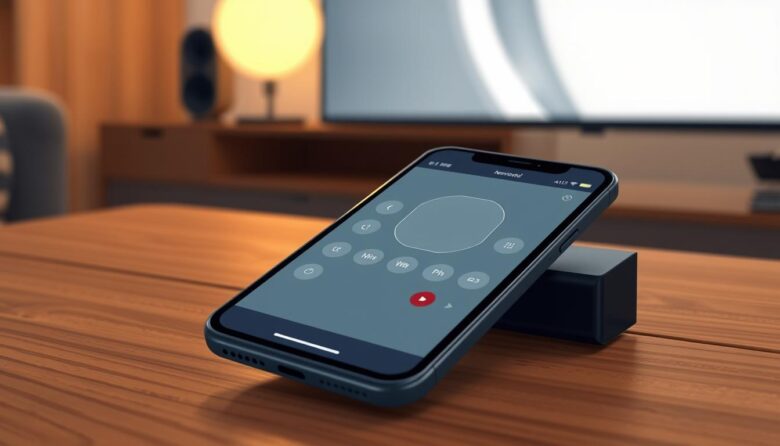
Imagine a world where you never have to search for another remote. Your handheld device can manage your entertainment system. This capability is not science fiction. It is available right now on many modern handsets.
This function relies on infrared light, the same invisible signal used by traditional clickers. A small hardware piece inside the device, called an IR blaster, sends these commands. It works even when your internet connection is down.
Popular models like the Xiaomi 14 and OnePlus 13 include this built-in feature. You can operate your television and other gadgets directly. This eliminates the need for multiple plastic controllers cluttering your living space.
Our guide will show you how to identify compatible devices. You will learn to download the right apps and configure everything properly. We will also cover simple troubleshooting steps for a seamless experience.
Introduction: Revolutionizing TV Control with Your Smartphone
A significant shift is happening in how we interact with our home electronics. This modern method turns your primary communication tool into a powerful command center for your entertainment system.
Why You Should Consider This Modern Approach
The main benefit is incredible convenience. Your primary handheld is almost always within reach. This means you rarely have to search for a dedicated clicker again.
It also reduces clutter. You can manage your television, soundbar, and streaming box with one piece of hardware. This consolidation simplifies your entire setup.
The Role of IR Technology in Simplifying Remote Control
This capability works through infrared light. It is the same invisible signal used by standard clickers. A small component inside the phone sends these commands.
The system requires no internet connection. It functions just like a traditional unit but with added smarts from app-based interfaces. This addresses common issues like dead batteries and lost units.
Embracing this approach means stepping into a more streamlined way of managing your home media. The following sections will guide you through the setup process.
Understanding IR Technology and Its Applications
Many modern handheld gadgets contain a hidden component that can operate various appliances. This built-in feature uses infrared light waves to communicate with electronics. It works similarly to traditional clickers but with enhanced capabilities.
How IR Signals Work to Control Devices
The infrared blaster sends invisible light pulses to your equipment. These pulses carry encoded information for specific functions. Your television or other appliance has a sensor that detects these signals.
The sensor translates the pulses into actionable commands. This allows you to adjust volume, change channels, or power units on and off. The process happens instantly without needing internet connectivity.
Advantages Over Traditional Remote Controls
Using your handheld as a controller offers significant benefits. You can customize the interface to match your preferences. This eliminates the clutter of multiple dedicated remotes.
The system never requires battery replacements for the physical unit. You can create macros for complex command sequences. This technology works with most electronics manufactured in recent decades.
Infrared communication provides reliable, direct control without network setup. It represents a practical solution for managing home entertainment systems efficiently.
Setting Up TV Control on Your Smartphone Using IR
The transformation of your mobile device into a versatile entertainment controller begins with a few straightforward steps. This process requires selecting the right software and establishing a proper connection with your equipment.
Downloading and Installing the Right IR Remote App
Start by visiting your device’s official application store. Search for infrared controller programs like AnyMote or Peel Smart Remote. These applications provide the interface needed to send commands.
Install the chosen program and launch it on your phone. The setup wizard will guide you through initial configuration. Grant any necessary permissions for the app to function correctly.
Pairing Your Phone with the TV for Seamless Control
After installation, select your television from the device list within the application. Enter the manufacturer and model information accurately. The software will search its database for compatible command codes.
If your specific model isn’t found, use the manual programming option. Point your phone’s infrared blaster directly at the television sensor during this process. Test each button to ensure proper functionality.
Successful pairing allows immediate operation of your entertainment system. You can now adjust volume, change channels, and power equipment using your handheld device. This eliminates the need for separate physical controllers.
Exploring Popular Apps for Smartphone as Remote
Selecting the right software is crucial for maximizing your handheld’s infrared capabilities. The Google Play Store hosts numerous applications designed specifically for this purpose.
These programs transform your communication device into a powerful entertainment system manager. They offer diverse features and customization options.
Overview of Top IR Remote Apps
AnyMote stands out with extensive device compatibility. It supports advanced customization features for experienced users.
Peel Smart Remote combines infrared functionality with content discovery. It provides personalized recommendations based on viewing habits.
ASmart Remote IR offers a straightforward interface. It delivers reliable performance across many television brands.
Mi Remote Controller comes pre-installed on Xiaomi devices. This application seamlessly integrates with MIUI software. It controls multiple electronics beyond televisions.
Twinone Universal TV Remote and SURE Universal Remote provide comprehensive device databases. irplus – Infrared Remote appeals to users seeking detailed customization.
Most quality applications allow interface personalization. You can modify button layouts, color schemes, and create custom command sequences.
Choose software with active development and regular updates. This ensures long-term compatibility and optimal performance.
Tips and Tricks for an Enhanced TV Control Experience
Mastering your entertainment system involves more than just basic channel changing. Advanced features can transform your standard interface into a personalized command center.
Customizing Remote Functions for Personalized Use
Most applications allow extensive interface modification. You can rearrange button layouts to match your viewing habits perfectly.
Change colors, sizes, and themes for better visibility. Create custom macros that execute multiple commands with one tap. This might include powering on equipment and setting volume levels simultaneously.
Save different profiles for various rooms or devices. This organization lets you switch between configurations effortlessly.
Utilizing Voice and Gesture Commands
Many premium apps support hands-free operation. Voice recognition lets you speak commands like “volume up” or “change channel.”
Gesture-based controls respond to device movements. Swipe patterns can navigate menus without touching buttons.
Adjust signal strength in your settings for better responsiveness. Always backup your custom configurations before updates.
Benefits of Using an IR-Based Remote for TV Control
Adopting your handheld as a television controller brings immediate practical improvements to daily life. This approach transforms how you interact with entertainment equipment throughout your living space.
Eliminating Clutter by Consolidating Devices
Consolidating multiple dedicated remotes into one handheld unit significantly reduces household clutter. You eliminate the need for separate controllers for televisions, sound systems, and streaming boxes.
This consolidation creates a cleaner, more organized entertainment area. Your primary communication device becomes the central command point for all your home electronics.
Seamless Integration with Home Entertainment Systems
Modern applications provide sophisticated integration capabilities beyond basic channel changing. They allow customized interfaces with programmable command sequences.
These systems work independently of Wi-Fi networks. This ensures reliable operation during internet outages. The technology offers budget-friendly automation without additional hardware purchases.
Accessibility features like larger buttons and voice commands make the experience user-friendly. This integration creates a unified control strategy for your entire home entertainment setup.
Limitations and Considerations When Using IR for TV Control
Practical considerations exist when relying on built-in infrared capabilities for device operation. Understanding these factors helps set realistic expectations for daily use.
Ensuring Proper Line-of-Sight and Compatibility
Infrared signals require direct visibility between your handset and the television’s sensor. Physical obstructions like furniture or walls can block command transmission. You must point the device’s emitter toward the equipment’s receiver panel.
Compatibility represents another significant factor. Many contemporary handsets lack the necessary hardware component. Manufacturers have removed this feature from numerous popular models.
All Apple iPhone models exclude the infrared blaster. Recent Samsung Galaxy devices and most Motorola units also omit this capability. This hardware limitation prevents infrared functionality entirely.
To verify your equipment’s capabilities, search online using your model number plus “IR blaster.” Check manufacturer specifications or inspect your device for a small circular component. This hardware piece typically resides near the top edge.
Extended usage may accelerate battery consumption compared to normal operation. Frequent signal transmission during viewing sessions demands additional power. These practical aspects help determine if this method suits your entertainment needs.
Alternative Methods for TV Control Without Wi-Fi
Not every mobile device comes equipped with an infrared transmitter. Fortunately, several other reliable methods exist for managing your entertainment system. These options provide flexibility for different setups and preferences.
Exploring Wi-Fi or Bluetooth-Based Remote Solutions
Many modern televisions support direct connection via Wi-Fi or Bluetooth. This approach eliminates the need for a direct line of sight. Your handheld can communicate with the set through your local network or a direct wireless link.
Manufacturer-specific applications offer a powerful way to operate your gear. Brands like Samsung, LG, and Sony provide dedicated software. These programs deliver full functionality for compatible models.
Smart home hubs present another comprehensive solution. Devices like Amazon Echo or Google Nest Hub can centralize command for multiple electronics. This creates a unified system for your entire home.
Applications like Unified Remote bridge various technologies. They support a wide range of devices and offer advanced features. While most need an active internet connection, they provide immense versatility.
Wrapping Up Your TV Control Journey with Your Smartphone
Your journey to a simpler entertainment setup is now complete. This guide has shown you how to verify compatibility, choose the right app, and configure your system.
You can manage multiple gadgets with one handheld device. This eliminates clutter from traditional remotes. Your primary communication tool becomes a powerful command center.
Remember the need for direct line-of-sight between your phone and equipment. Battery usage may increase during active sessions. These small considerations ensure smooth operation.
Explore different applications to find your perfect fit. This method works for various electronics beyond televisions. Start enjoying streamlined control today.