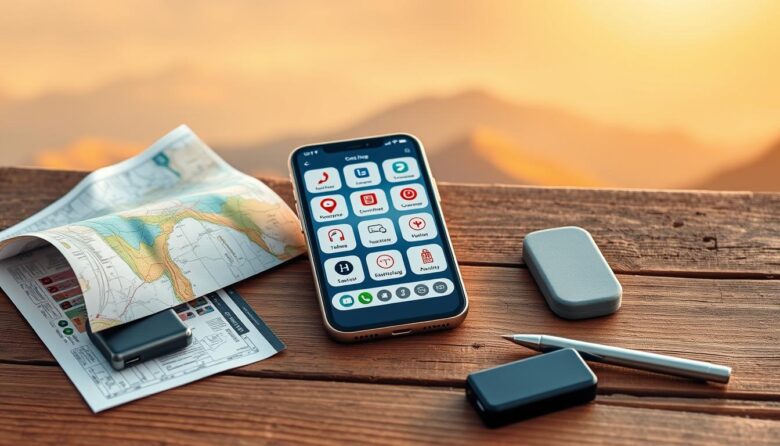
Prepare once, stay calm later. With some planning, your smartphone becomes a compact toolkit that holds maps, tickets, translations, and media even when you lose a network signal. This guide shows which features and apps to set up so essential information stays at hand.
Built-in tools like a compass, camera, and file viewers work without internet or active service. You can also download map areas, save web pages, and queue podcasts or videos for later viewing. That saves time and keeps you moving when connections are slow or unavailable.
Focus on an offline-first workflow: download, verify, and test before you leave. Organize maps, tickets, and confirmations in one folder on your device so you can retrieve directions, addresses, and reservation numbers quickly.
This section helps you choose the right apps and features, so you maintain access worldwide and reduce dependence on costly or unreliable networks.
Why planning for offline access makes your trip smoother and safer
Download and double-check essential files so you can move confidently through unknown streets. A little prep reduces stress when signal fades in a city center, remote area, or crossing borders.
Save target maps ahead of time and manage device storage so the right maps are ready when you arrive. Cache website pages like venue info and transit timetables as PDFs or reading-list items. Refresh your email inbox before you leave to store important message text and confirmation numbers.
Take screenshots of barcodes, boarding passes, and reservation numbers as a quick fail-safe. Also save subway and neighborhood maps as images or PDFs for instant access underground or inside large buildings where signals are weak.
Test everything in airplane mode to confirm files open and directions display correctly. Double-check saved destinations to avoid wrong-way routing at night, and keep a short list of hotel, embassy, and station addresses on hand.
Essential offline travel utilities phone for navigation, communication, and logistics
Store key map areas, language packs, and booking files before you go so directions, confirmations, and price info stay available when you lack service.
Google Maps offline areas for maps and directions in cities and remote areas
Download the target area and surrounding city ahead of time to get turn-by-turn directions and search saved places without live data. Save lists of must-see places and food spots so they show up on map tiles even when you can’t connect.
Built-in compass and saved place lists
Use the device compass to orient yourself after leaving transit hubs or in dense blocks where GPS can drift. Keep a short list of saved places for quick reference at night or near unfamiliar intersections.
Google Translate offline language packs
Install the relevant language pack and enable camera translation to read signs and menus without internet. This reduces errors when asking for directions or checking labels.
XE Currency and exchange info
Preload the destination currency so you can calculate prices and plan small purchases without connecting to a rate service.
TripIt, PDFs, screenshots and saved tickets
Forward confirmation emails to TripIt and sync your itinerary for secure access to booking numbers and addresses. Save PDFs of subway maps, museum tickets, and boarding passes or take screenshots as instant backups.
WiFi Map to locate nearby hotspots
When you need to reconnect, use the wifi app to find public hotspots. Verify hours and safety once on-site before sending sensitive information or cloud backups.
Stay entertained and informed offline during transit and downtime
Prepare a small library of episodes, playlists, and guides to make long waits and long legs productive. Queue a few Netflix shows, podcast series, and ebooks so you can relax without hunting for a connection.
Download podcasts, Netflix shows, and music ahead of time
Check which Netflix titles allow downloads inside the app and test playback in airplane mode. Use Apple Podcasts or Spotify to download episodes and enable auto-download so new items arrive on Wi‑Fi.
Budget storage for high-bitrate audio and HD video. Organize content by outbound, mid-trip, and return to keep variety and save time choosing what to play.
Pocket for articles, travel guides, and website pages you can read offline
Save long-form articles and destination guides to Pocket or a reading list. PDFs and saved website pages are handy during layovers and train rides when internet access is uncertain.
Snapseed for on-the-go photo edits without using data
Edit photos with Snapseed to batch-adjust exposure, color, and perspective while you’re en route. Work offline, then upload the final images when you find Wi‑Fi.
Get the most from your device offline: practical steps before and during your trip
A short routine of downloads and checks turns your device into a dependable travel toolkit. Audit storage and free a few GB for maps and media. Pack a power bank and extra cables so battery life does not cost you time.
Download Google Maps regions and test each saved place in airplane mode. Preload language packs in Google Translate and practice camera translation for quick signs and menus.
Consolidate confirmations into TripIt or local PDFs, and keep screenshots of tickets as fast backups. Update XE Currency and star safe wifi spots in WiFi Map so you have a clear reconnect plan.
Finally, secure your device with a lock, schedule Wi‑Fi-only downloads, and run a quick check each morning. Small prep saves time, protects data, and keeps key information at hand during the trip.