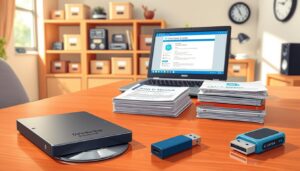
Our daily existence is deeply intertwined with the internet. Many people rely on a constant connection for work, communication, and entertainment. This dependency creates a challenge when access is limited or unreliable.
Today, a fascinating shift is occurring. Despite living in a hyperconnected world, there is a growing appreciation for resources that function independently. These offline tools provide a crucial layer of stability and focus.
They empower individuals to maintain productivity and creativity, free from the distractions of notifications and network drops. This approach is not about rejecting technology but about choosing reliability and user autonomy. It supports a balanced life where work and projects can continue seamlessly, regardless of connectivity status.
Introduction: Embracing Offline Tools and a Connected-Free Lifestyle
In 2006, a pivotal moment in digital design occurred that would fundamentally reshape how we interact with technology. UX designer Aza Raskin introduced “infinite scroll,” a feature he later described as “taking behavioral cocaine and sprinkling it all over your interface.” This innovation marked the beginning of an era where applications were engineered to maximize engagement rather than utility.
The Evolution of Offline Technologies
Digital devices and software have transformed from simple, single-purpose instruments into complex platforms demanding constant attention. The user experience shifted from empowerment to exhaustion as features like push notifications and algorithmic feeds prioritized screen time over productivity.
By 2023, the average person spent nearly seven hours daily on screens. This constant connectivity disrupts sleep cycles and contributes to anxiety. In response, Gen Z has begun embracing feature-free phones, signaling a cultural shift toward intentional technology use.
This movement represents a practical strategy for reclaiming time and mental space. Offline-capable applications offer users greater control over their digital life. They allow people to engage with technology on their own terms.
The way we use our devices is evolving toward well-being and focus. These ideas about digital minimalism support a balanced approach to technology. They prioritize genuine productivity over constant connectivity demands.
Offline Tools for Modern Living: Essential Offline Solutions
A surprising number of powerful applications now function entirely without an internet connection. This curated list highlights solutions that support daily life and creative work. They provide reliable access to core features, regardless of your connectivity status.
These applications span multiple categories, including professional design software and user-friendly apps for personal projects. Whether you are planning a home renovation or managing tasks, there are capable options available. The key advantage is uninterrupted workflow and user autonomy.
An essential solution offers a complete set of capabilities when disconnected. Important criteria include an intuitive interface and robust export functions. Cross-platform availability ensures you can work on various devices.
This overview sets the stage for exploring specific software for home planning and space visualization. The following sections will detail applications that empower your projects without requiring a web link.
3D Modeling and Interior Design: Innovating Space Planning
Space planning software empowers creators to visualize interior layouts through detailed digital representations. These applications provide comprehensive solutions for residential and commercial projects. Users can experiment with different configurations before committing to physical changes.
SketchUp Free – Robust Offline 3D Modeling
SketchUp Free delivers powerful three-dimensional modeling capabilities that function without internet dependency. The desktop version offers complete access to essential features for architectural visualization. This platform supports intricate floor plans and detailed furniture placement.
The intuitive interface streamlines the creative process for both professionals and beginners. Users can draw walls, position objects, and view designs from multiple angles. The software maintains full functionality during connectivity interruptions.
Sweet Home 3D – Visualize Your Floor Plans in 2D and 3D
Sweet Home 3D specializes in interior layout planning with dual visualization modes. This application combines two-dimensional editing with real-time three-dimensional previews. Designers can drag and drop furniture items directly onto floor plans.
The software includes extensive libraries of decorative elements and architectural components. Users receive immediate visual feedback as they arrange room layouts. This approach supports iterative refinement of home design concepts.
Both platforms enable thorough exploration of spatial relationships and aesthetic choices. They provide reliable performance for residential planning projects regardless of network availability.
Advanced Floor Planning Apps and Features
Professional-grade software now delivers architectural precision without connectivity constraints. These advanced applications provide sophisticated features for creating detailed room layouts and architectural plans.
The current generation of design platforms offers comprehensive solutions for residential and commercial projects. Users can access powerful capabilities regardless of their internet status.
FloorPlanner – Achieving Precise 2D and 3D Layouts
FloorPlanner’s desktop version provides robust functionality for creating accurate floor plans. This platform includes versatile features for adjusting layouts and spatial arrangements.
Users benefit from measurement tools and wall editing capabilities. The software supports furniture placement options that work seamlessly.
Export functionality allows saving designs as images or PDF files. This makes sharing plans with collaborators straightforward.
RoomSketcher – Mobile Visualization for Home Design
RoomSketcher brings flexible design capabilities to smartphones and tablets. The mobile app enables users to modify floor plans while traveling.
A diverse library of furniture and decorative items enriches projects. This resource helps create realistic room layouts and space planning scenarios.
Both platforms support the project workflow from concept to presentation. They ensure continuous progress regardless of location or connectivity.
Versatile Design Tools for Home Projects
Home improvement enthusiasts now have access to versatile applications that support comprehensive design work. These platforms cater to various project scales from single room updates to complete residential renovations.
The right software provides flexibility for creative exploration while maintaining functionality during connectivity interruptions. This approach supports uninterrupted creative workflows.
Planner 5D – Integrating 2D and 3D Design Capabilities
Planner 5D stands out with its seamless integration of two-dimensional and three-dimensional viewing modes. Users can switch between floor plan editing and immersive walkthroughs effortlessly.
The application maintains core design functions without constant internet dependency. This hybrid approach ensures continuous project development regardless of network status.
An extensive library of decorative elements and furniture options enhances the creative process. Both professional designers and homeowners appreciate the intuitive interface.
Home Design 3D – User-Friendly Offline Home Planning
Home Design 3D offers straightforward tools for spatial planning and visualization. The application simplifies adding architectural elements like walls and windows.
Users can experiment with different color schemes and material textures. Real-time 3D previews help visualize how finished spaces will appear.
This software supports iterative refinement of layout concepts and furniture arrangements. The flexible interface makes complex design tasks accessible to various skill levels.
Practical Offline Tools for Rural and Country Living
Rural residents navigate a delicate balance between enjoying peaceful landscapes and accessing necessary resources. Distance from urban centers creates unique challenges for healthcare, communication, and daily conveniences.
Innovative approaches now bridge this gap while respecting the quiet pace of country life. These solutions enhance quality of life without requiring constant connectivity.
Telehealth and Rural Connectivity – Bridging the Gap Without Constant Internet
Telehealth services have revolutionized healthcare access for rural families. Specialists can now provide consultations and adjust medical devices remotely.
This approach saves significant time and travel expenses. Families receive quality care from their own homes without lengthy journeys to urban hospitals.
Many telehealth platforms work effectively with minimal bandwidth requirements. They provide reliable medical support regardless of location.
Sustainable Tools for Off-Grid and Country Life
Modern farm equipment includes battery-powered options that operate quietly and efficiently. Electric chainsaws and mowers reduce noise pollution while requiring less maintenance.
Smart monitoring systems help manage agricultural operations effectively. Livestock fencing can send alerts when animals escape containment areas.
Automated irrigation adjusts based on weather conditions and soil moisture levels. These systems conserve water while ensuring optimal crop hydration.
Sustainable energy solutions like solar-powered lighting reduce electricity dependence. Rechargeable devices minimize waste from disposable batteries.
Modern Lifestyle Benefits of Unplugged Tools
Intentional disconnection serves as a powerful countermeasure to the psychological toll of constant digital engagement. This approach helps individuals reclaim autonomy over their attention and time management.
Disconnected work environments enable deeper focus for creative professionals. Designers experience more meaningful output without constant interruptions. The user experience becomes fundamentally different from always-connected alternatives.
These options support healthier daily routines that extend to home environments. Reading physical books promotes sustained attention. Family dinners build community through genuine interactions.
Choosing unplugged approaches changes the way people relate to technology. It shifts from passive consumption to intentional use. This creates space for what matters most in life.
The benefits help users create healthier boundaries between work and personal time. They reduce digital fatigue and restore satisfaction in analog experiences. This balanced approach supports overall wellbeing.
Best Practices and User Tips for Maximizing Offline Tool Efficiency
Mastering your digital workspace requires thoughtful strategies that enhance productivity. This approach helps users get the most from their applications while maintaining creative flow.
Optimizing Your Workflow with Offline Apps
Many design applications offer free versions with capable basic features. Professional designers often recommend starting with these to understand the software before considering premium options.
The export process is crucial for sharing your work. Most programs allow saving floor plans as PDFs or images. This ensures your ideas can reach collaborators easily.
Organize projects with clear naming conventions. Create backup routines that protect your development work. These habits save significant time during complex room planning.
Design and Accessibility Insights for User-Friendly Experiences
Choose applications with intuitive interfaces that reduce learning time. Look for software offering captioning and keyboard navigation support. These features create better experiences for all people.
Sometimes upgrading means simply enabling existing accessibility options. Not every new release warrants immediate adoption. Select tools that match your actual needs rather than chasing trends.
Community knowledge remains valuable for finding the right solutions. Web forums provide insights about which applications work best for specific floor planning tasks. This practical list helps users make informed decisions about costs and features.
Conclusion
Choosing technology that respects our focus and time represents a significant shift in how we approach daily tasks. The diverse range of design software and applications covered empowers people to maintain productivity without constant internet dependency.
This approach prioritizes user autonomy and reliable access. It supports various contexts, from complex floor plan projects to family home improvements.
These solutions serve people in diverse situations due to geographic or economic factors. Exploring different platforms helps find the right combination for specific workflow preferences.
The most effective technology serves human needs rather than demanding constant attention. This respectful approach to development creates space for what matters most in life.