Did you know your modern smartphone has a powerful capability you probably never use? Many devices come with a built-in component that can turn them into a traditional radio.
This technology is the same as what you find in cars and home stereos. Yet, it often remains inactive on the phone you carry every day.
Unlocking this function adds significant value to your device. You gain access to local stations without needing an internet connection or using your mobile data.
This guide will show you how to activate this powerful tool. We will explain why it’s included and the simple steps to get it working.
Discover how to make your device more versatile. This feature is perfect for everyday entertainment and emergency preparedness.
Introduction to Mobile FM Radio
As mobile technology evolved, manufacturers incorporated components that enabled access to terrestrial broadcast signals. This capability represents an interesting convergence of traditional and modern media.
The Evolution of Radio in Smartphones
Early mobile devices focused primarily on computing and communication functions. The integration of broadcast reception came through components like the Qualcomm LTE modem.
Manufacturers included this functionality because accessing broadcasts via mobile devices is common practice in developing regions. This created a universal hardware standard across global markets.
FM Radio in Today’s Technology Landscape
Modern smartphones handle complex tasks while maintaining this traditional capability. The broadcast function offers direct access to local stations without requiring data connections.
This feature serves as a bridge between terrestrial broadcasting and digital connectivity. Users can enjoy music and news while conserving their internet data allowance.
The technology remains available in most contemporary devices. It represents an additional layer of functionality beyond standard smartphone operations.
Understanding the FM Chip in Your Phone
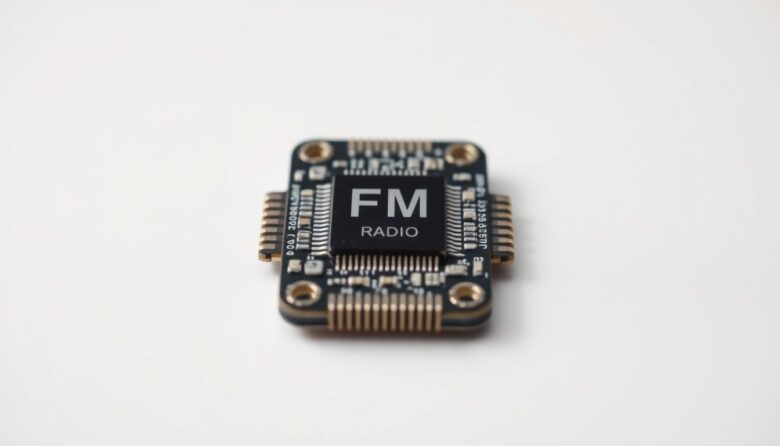
A surprising amount of today’s mobile hardware includes components designed for analog reception. This technology operates through frequency modulation, where audio content travels via electromagnetic waves.
How It Works and Why It’s Hidden
The transmission process begins when a station’s equipment encodes sound as a carrier signal. This signal’s frequency gets modulated by increasing or decreasing its wave pattern. Your device’s internal component then decodes this pattern back into audible content.
Manufacturers often include this capability in standard communication modems. It’s actually more efficient to deactivate the function than to create different hardware for various markets. This approach maintains manufacturing consistency across global regions.
Business considerations also influence this decision. Streaming services generate revenue for multiple parties, while traditional broadcasting provides free access. Some companies may not view this feature as a compelling selling point compared to personalized digital options.
Unlocking Your radio receiver, FM chip, hidden features
Unlocking broadcast functionality represents an opportunity that device manufacturers have left for users to discover. While the hardware exists in many modern phones, activation typically falls to the owner rather than coming pre-enabled.
Discovering the Forgotten Tuner Functionality
Many major carriers already permit activation of the broadcast receiver. This means the capability is technically available on numerous devices. Users simply need to take specific steps to enable this functionality.
Manufacturers often justify keeping this feature disabled by suggesting it’s not a significant selling point. They point to unlimited streaming services and custom playlist options available to most consumers.
Critics present a different perspective. They suggest financial incentives drive the decision to keep chips locked. Activated broadcast functionality could reduce streaming service usage.
This would impact revenue streams for carriers, device makers, and content platforms. Unlocking provides an alternative way to access audio content.
The capability becomes particularly valuable in specific cases. These include limited data plans, areas with poor internet connectivity, or emergency situations when cellular networks may be compromised.
Activating the Built-In FM Tuner on Your Device
Many Android users can transform their devices into portable broadcast receivers through a straightforward setup. This process requires specific software to interface with your phone’s hardware capabilities.
The activation journey begins with downloading the right application. You’ll need wired headphones to serve as an antenna for optimal signal reception.
Step-by-Step Activation Process
Start by visiting Google Play to download the NextRadio app. This software acts as the bridge between your device’s hardware and the user interface.
When you first launch the application, carefully follow the setup prompts. Choose “Deny” when asked for location access, repeating this selection twice. Then select “Other” for your location and tap “OK” to access the basic tuner.
This configuration displays available local stations in your area. If you make an error during setup, tap the hamburger menu (≡) in the top-left corner. Select Settings, then choose Refresh Station List to restart.
Utilizing the NextRadio App and Alternatives
The NextRadio app provides direct access to terrestrial broadcasts without streaming features. This basic tuner mode focuses exclusively on station reception, allowing you to scan frequencies.
For Android users seeking options, RadioFM represents another application available on Google Play. iPhone owners should note that Apple removed NextRadio from its app store in December 2018. Current iPhone models lack this broadcast capability.
Compatibility varies by device and carrier. The application itself now serves as the best compatibility checker for your specific smartphone model.
Optimizing Your FM Radio Experience
Optimizing your device for broadcast reception involves both hardware setup and power management strategies. Proper configuration ensures clear signal reception while maximizing your device’s efficiency.
Selecting the Right Antenna Setup
Your device requires a proper antenna to capture broadcast signals effectively. Wired headphones, earbuds, or any wired speaker that plugs into your audio jack will serve this purpose perfectly.
The wire itself acts as the receiver for electromagnetic waves. You don’t need specialized equipment—practically any accessory with a wire connection works.
You can redirect the audio output to your phone’s built-in speakers through menu settings. This provides flexibility if you prefer not to listen through your headphones.
Managing Battery Life and Data Usage
Broadcast reception offers significant power advantages over streaming services. Listening to signals requires less energy than maintaining an internet connection.
This feature uses zero cellular data, making it completely free like traditional car or home systems. It’s especially valuable for users with limited data plans.
For emergency preparedness, fully charge your phone before anticipated power outages. Your device can then function as an emergency information source when electrical power becomes unavailable.
Advanced Tips for Tuning In and Quality Enhancement
Achieving crystal-clear broadcast reception requires understanding the subtle art of frequency precision. Small adjustments can make a dramatic difference in your listening experience.
Fine-Tuning Frequency Controls
Manual frequency adjustments of just 0.1 MHz can significantly improve your audio signal quality. This precision tuning helps lock onto stations with maximum clarity.
Evaluate signal strength by listening for static reduction as you fine-tune. Strong stations will produce clear sound with minimal interference.
When experiencing poor reception, reposition your wired antenna. Move to different locations to minimize interference from buildings or electronics.
Different speaker configurations can enhance your sound output. Experiment with phone speakers or external options for optimal audio quality.
Extend your antenna fully and avoid metal objects for best results. These simple steps create an optimal environment for clear frequency reception.
Alternative Methods to Enjoy FM Radio on Your Smartphone
For smartphones without built-in broadcast capabilities, internet streaming offers a powerful alternative. Many traditional stations now provide simultaneous online broadcasts.
This allows you to listen to radio content on any device with a web connection. You are not limited by your hardware.
Streaming Options and Radio Apps
There are three primary ways to access this audio content. You can visit a station’s website directly through your mobile browser.
Another method is to download a dedicated app from your favorite station. Many popular radio stations have their own applications.
For broader discovery, use aggregator apps like iHeartRadio or TuneIn. These directories consolidate thousands of stations into one convenient interface.
While streaming provides access to a vast selection of global stations, it has limitations. Not all local stations are available on every streaming service.
This method requires a stable internet connection and uses cellular data. For iPhone users, streaming is the only way to access live radio content.
Choosing between streaming and a built-in tuner depends on your needs. Consider your data plan and network reliability at the time you want to listen.
Final Thoughts on Empowering Your Mobile Audio
Your smartphone holds an untapped potential that can transform it into a reliable emergency tool and entertainment source. The FCC emphasizes having broadcast access during severe weather when other systems fail. This capability ensures you stay informed when power and internet connections go down.
Accessing local stations directly provides comprehensive coverage that streaming services often miss. You can enjoy music without using cellular data, extending your battery life significantly. Creating a playlist of favorite stations offers free, high-quality audio at any time.
While some manufacturers now activate this function, universal adoption will take time. For now, following this article’s guidance unlocks meaningful utility. Keep wired headphones handy as your antenna and explore this powerful feature.